AI agent governance and policy control
Define which agents, MCP servers, models, and data are approved. Push the policy to every endpoint, server, and container, and see every violation with the agent, session, and user attached.
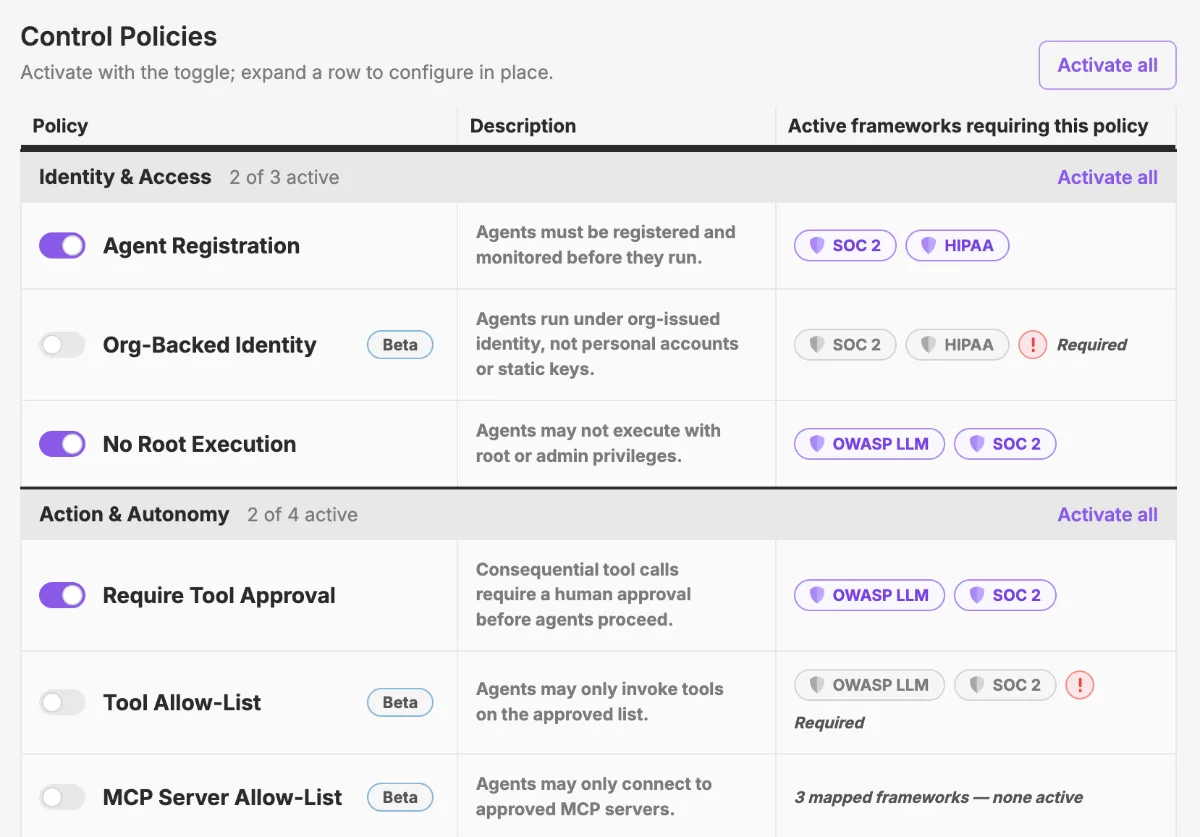
From wiki page to live policy
Write the rules once, push them everywhere agents run, and get every violation back with the context attached.
1. Define
Write the approved lists and boundaries
- Approved agents, harnesses, and versions
- Allowed MCP servers, tools, models, and providers
- Paths, file types, and data that agents can't touch
2. Roll out
Push the policy to every endpoint
- Whole fleet, a team, or a pilot group of hosts
- Takes effect without touching agent config or restarting anything
- Policies are staged and versioned like code
3. Report
See every violation with its context
- Agent, version, user, host, session, and the events leading up to it
- Rolled up by policy, team, agent, and host
- Evidence for auditors that ties back to real sessions
Policies you can finally apply
From which agents are allowed to which data can leave the endpoint, defined once and checked everywhere.
Approved agents and harnesses
Define which agents, harnesses, and versions are allowed. Anything else is flagged the moment it starts.
Approved MCP servers and tools
An allowlist of servers and the tools agents can call, checked on every connection.
Sensitive file boundaries
Paths and file types agents can't read, write, or touch. Every attempt is recorded.
Approved models and providers
Agents only send data to approved providers, models, and regions.
Outbound data rules
Secrets, personal data, and customer identifiers that may not leave the endpoint.
Violation reporting
Every violation with the agent, user, host, session, and the events leading up to it.
Compliance evidence
Coverage, active policies, actions checked and blocked, traceable to the sessions behind them.
Fleet-wide rollout
Push a policy change to every endpoint, or a pilot group first, without touching agent config.
One rule, one week, 212 matches
An outbound data policy specifies that customer email addresses may not leave an endpoint. Nobody set out to send customer data anywhere; the agents pulled in ticket context to do their job.
One week after the policy goes live in Qpoint, the report shows agents on the support engineering team's laptops sent 212 requests containing customer emails, all to the same model provider.
Qpoint ties every one to the session and developer behind it. By Tuesday the team lead has the four names and the conversation is short.
AI agent operations, end to end
The same binary that sets the rules also records what agents do and enforces the rules at the source. Monitor, govern, and secure share one install and one event stream.
Seconds, not sprints
Qpoint deploys as a single binary directly on the endpoint. No gateways to route through, no enterprise infrastructure to provision, no SDK integration to schedule.
Install, run, and start seeing every AI agent on the machine — in under a minute.